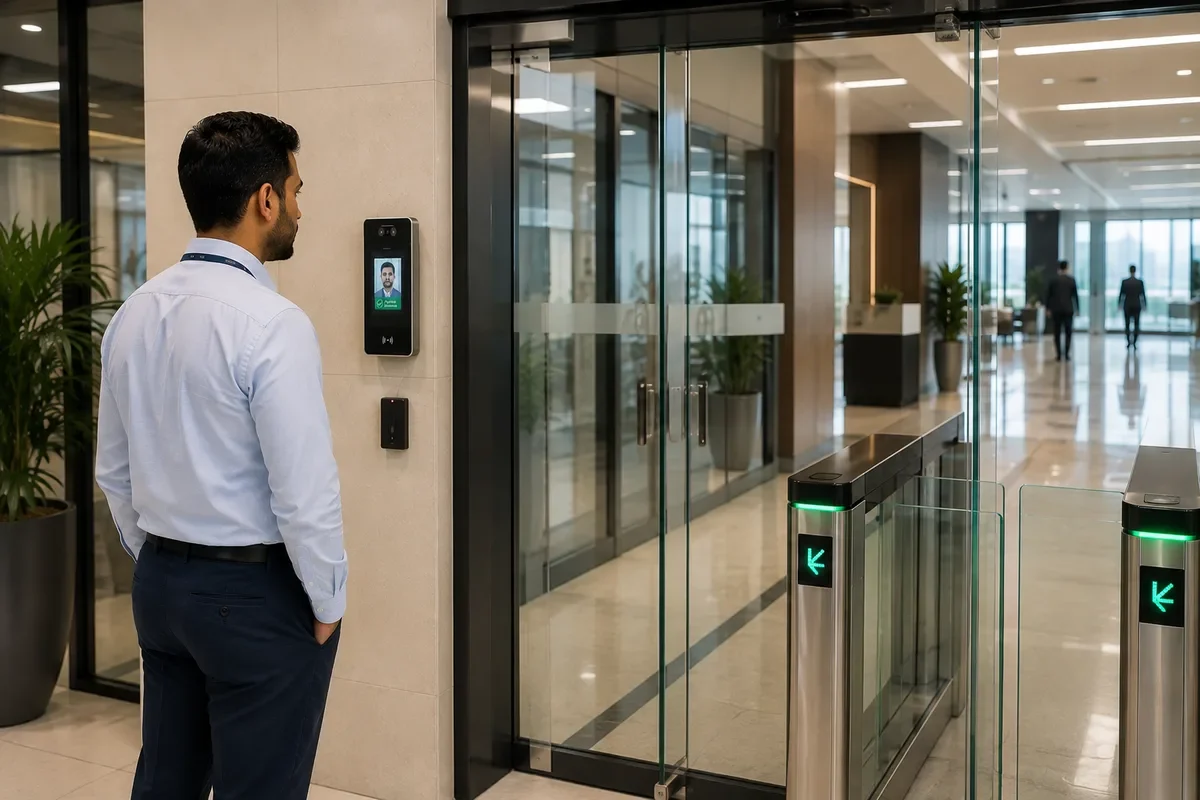
Face Recognition
Face Recognition Access Control uses biometric facial characteristics to verify an enrolled user before permitting access to a controlled entrance, door, turnstile, elevator or other authorised area.
AZTÖR Automation supplies, installs, integrates, upgrades, repairs and maintains face recognition access control systems for offices, commercial towers, residential buildings, factories, warehouses, data centres, healthcare facilities, educational institutions and other controlled premises across the UAE.
Unlike a conventional RFID card that verifies possession of a credential, face recognition can authenticate the enrolled individual using biometric information processed by the selected terminal and access-control platform.
Face recognition is particularly useful where organisations want touch-free access, reduced dependence on physical cards and centrally managed user permissions.
AZTÖR provides a free site inspection for applicable Face Recognition projects. We assess the entrance, user volume, required security level, lighting, mounting position, existing access-control system, electronic locking, automatic door or Turnstile interface, network and required management platform before recommending a solution.
A complete Face Recognition solution can include a biometric terminal, access controller, electronic lock or controlled entrance device, power supply, network connectivity, door contact, request-to-exit equipment and management software.
Some face recognition terminals incorporate access-controller functions within the terminal, while other installations use separate secure access controllers.
The architecture should be selected according to the required security level rather than assuming every facial terminal should directly control the lock.
For higher-security applications, suitable designs can place the door-control function within a protected area so physical tampering with an externally mounted terminal does not directly expose the locking control.
Face Recognition can operate as the primary credential or as part of multi-factor authentication.
Depending on the selected platform, authentication can combine face recognition with RFID cards, PIN codes, fingerprints or other supported credentials.
For example, a normal office entrance may use face-only access while a higher-security technical room can require face plus card or another authorised combination.
Hikvision's current Middle East access-control portfolio includes MinMoe face recognition terminals and centralised platforms supporting multiple authentication methods including face, card, PIN, fingerprint, QR and other technologies depending on the selected equipment. [oai_citation:0‡Hikvision Pro AV](https://pro-av.hikvision.com/mena-en/products/software/HikCentral-Professional-series/hikcentral-access-control/?utm_source=chatgpt.com)
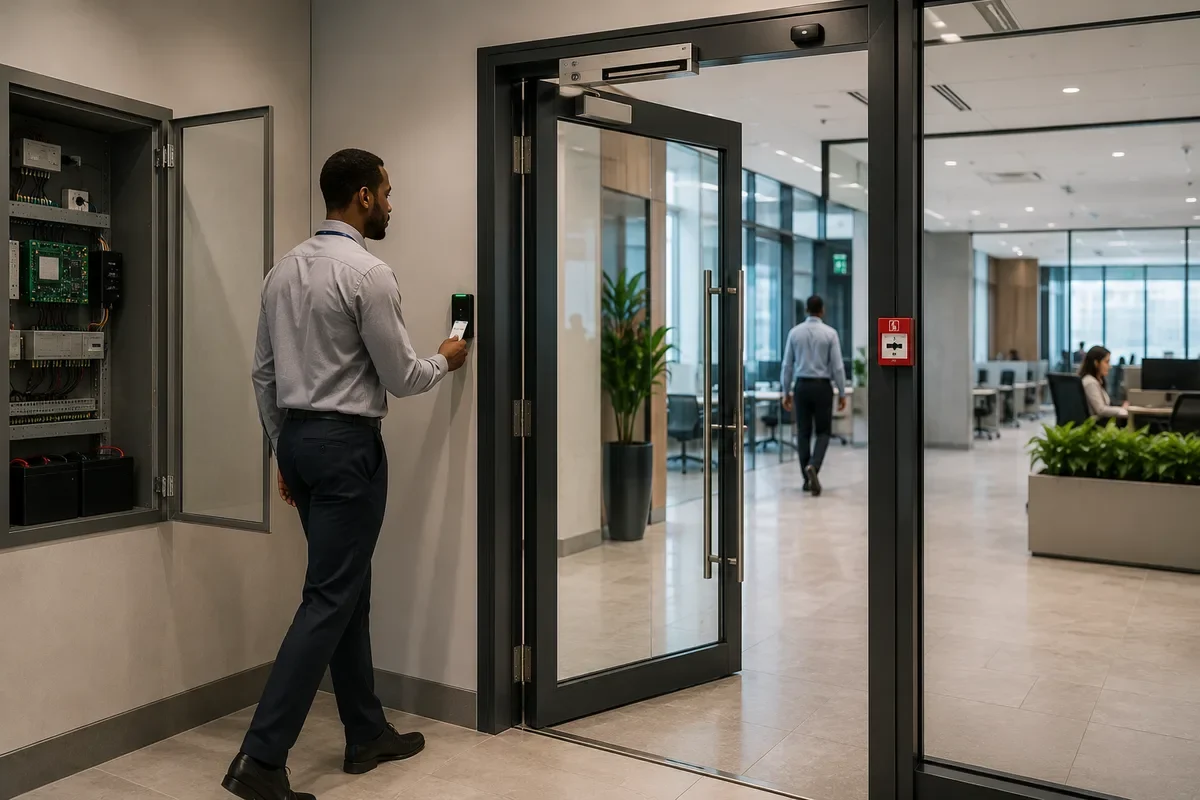
Face Recognition can integrate directly with Door Access Control.
After successful authentication, the access-control system can release a compatible electromagnetic lock, electric strike, electromechanical lock or other approved electronic locking device.
The lock and emergency-release arrangement must still be selected according to the physical door and applicable fire and life-safety requirements.
Face Recognition can also integrate with Automatic Sliding Doors and Automatic Swing Doors.
Once a user is successfully authenticated, the access system can provide an authorised opening request to the compatible automatic door operator.
The automatic door's activation and safety sensors remain separate from biometric authentication and should continue performing their required functions.
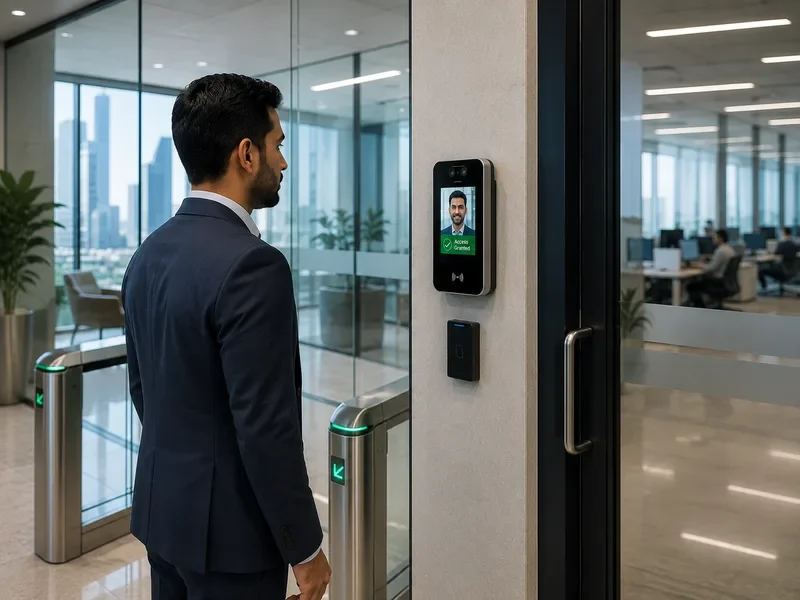
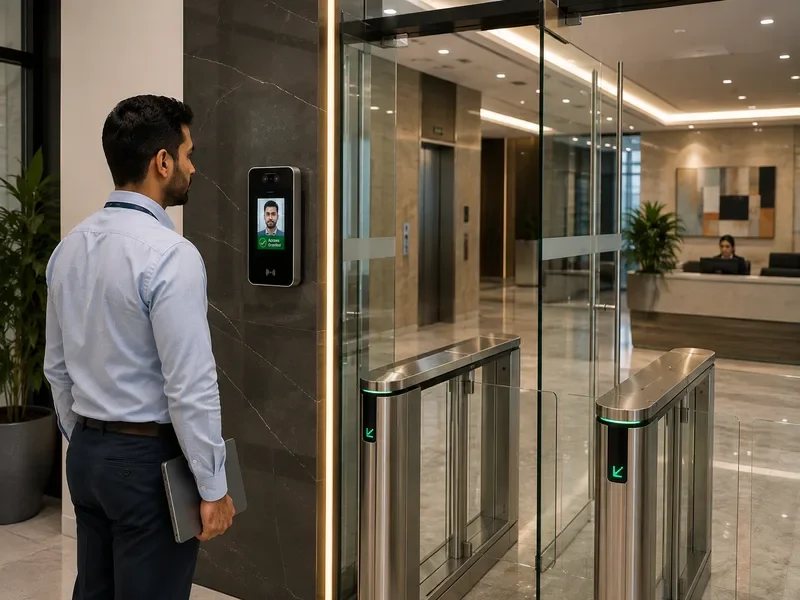
Face Recognition is particularly effective with Turnstiles and Speed Gates.
The terminal verifies the user and, after successful authorisation, provides the required access signal through the compatible control architecture.
Suitable systems can be integrated with Tripod Turnstiles, Flap Barriers, Swing Barriers, Speed Gates and other controlled pedestrian lanes.
Current Hikvision Middle East solutions, for example, explicitly combine MinMoe facial recognition terminals with swing barriers and centralised access management. [oai_citation:1‡Hikvision Pro AV](https://pro-av.hikvision.com/mena-en/solutions/solutions-for-small-medium-business/Quick-Pass-for-People-and-Vehicle-Access-Control/?utm_source=chatgpt.com)
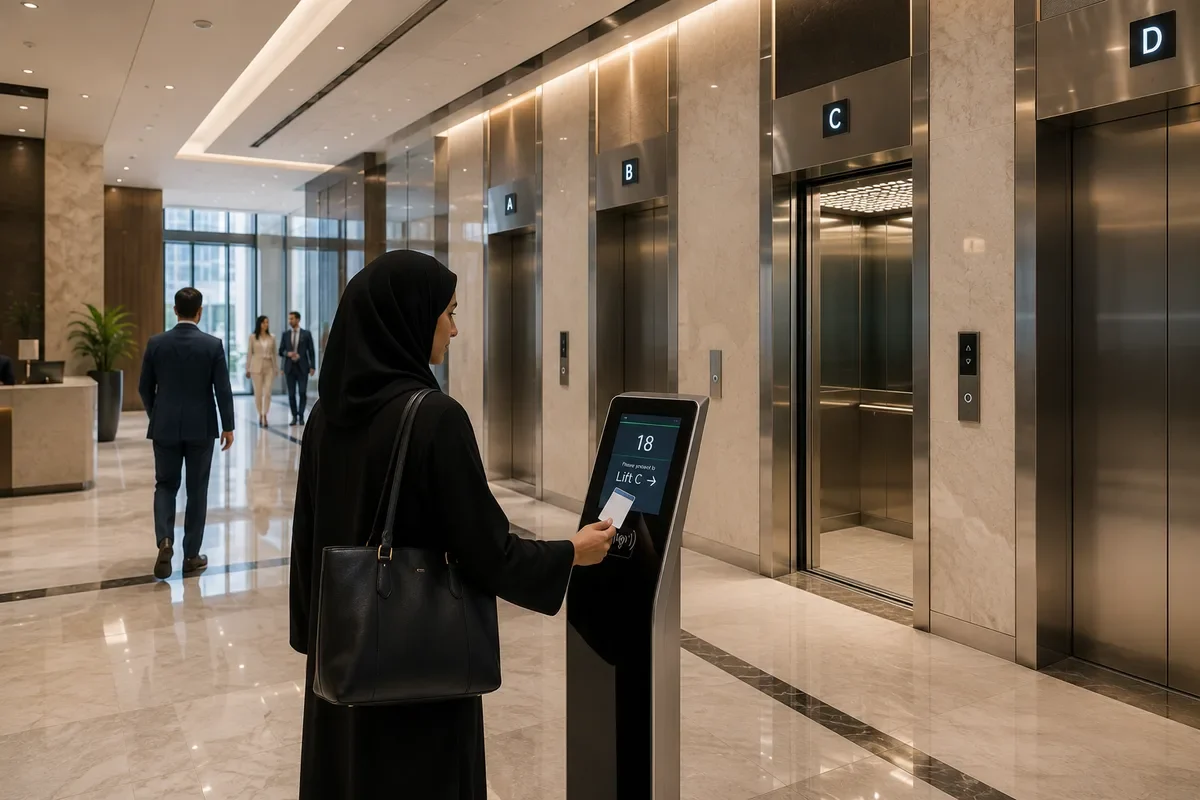
Elevator Access can also use facial authentication.
An authorised user can authenticate before being given access to permitted elevator floors through a compatible Elevator Access Control system.
The elevator integration should remain separate from the lift's safety and motion-control functions.
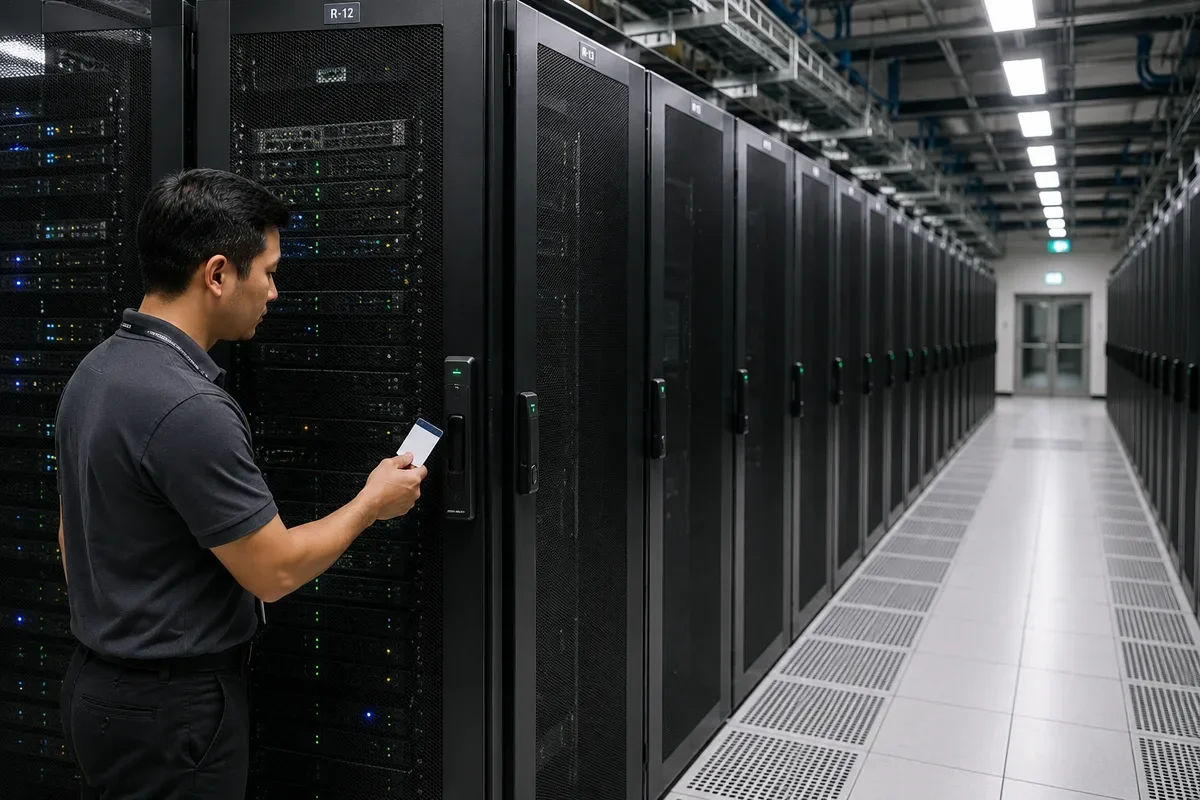
Cabinet Access can form another layer within the same wider access architecture where compatible platforms and credentials are used.
This makes it possible to build layered access from building entrance to Turnstile, elevator floor, room and individual protected cabinet according to each user's permissions.
Face Recognition can also integrate with Visitor Management.
Permanent employees may be enrolled for facial access while visitors use temporary QR, card, mobile or reception-authorised credentials.
Where the selected platform supports temporary facial enrolment and the organisation's privacy procedure permits it, facial visitor credentials may also be technically possible.
However, collecting visitor biometric data should not be the default simply because the technology supports it. The operational need and applicable data-handling requirements should be considered.
Facial templates and related biometric information require careful protection.
Organisations using Face Recognition should establish appropriate enrolment, access, retention, deletion and administrative procedures according to applicable UAE privacy and data-protection requirements.
AZTÖR therefore treats biometric deployment as both a security-system project and a data-management consideration rather than simply installing a camera at the door.
User enrolment quality is important.
The system needs appropriate facial information for reliable authentication according to the selected manufacturer's enrolment procedure.
Poor-quality enrolment, unsuitable images or incorrect system configuration can reduce recognition performance.
Lighting also matters.
Modern terminals can provide strong performance across varied lighting conditions, but mounting a terminal directly into severe backlighting, reflections or other challenging conditions should still be avoided where practical.
Terminal height and viewing angle should accommodate the expected user population.
The system should be installed so users can naturally approach the authentication area rather than requiring awkward positioning.
Recognition distance varies by model.
For example, Hikvision's current DS-K1T670MX lists a recognition distance of 0.3–3 m, while other terminals have different specifications. Final mounting should therefore follow the selected product rather than applying one universal distance to every facial terminal. [oai_citation:2‡Hikvision Pro AV](https://pro-av.hikvision.com/mena-en/products/Access-Control-Products/Face-Recognition-Terminals/Pro-Series/ds-k1t670mx/?utm_source=chatgpt.com)
Recognition capacity also varies considerably between devices.
Smaller systems may be suitable for offices with relatively limited users, while enterprise environments can require terminals and management platforms designed for substantially larger enrolment databases.
The required face capacity, card capacity and event capacity should therefore be selected according to the actual project.
Recognition speed and accuracy are manufacturer and model specific.
Current Hikvision Middle East MinMoe products include models documented with recognition below 0.2 seconds and accuracy of at least 99% under their specified conditions. These figures should be associated only with the applicable products rather than represented as universal performance for every Face Recognition system. [oai_citation:3‡Hikvision Pro AV](https://pro-av.hikvision.com/ar/products/Access-Control-Products/Face-Recognition-Terminals/?utm_source=chatgpt.com)
Anti-spoofing or liveness-related technology is an important feature on suitable facial access terminals.
Its purpose is to help distinguish an actual person from certain presentation attacks involving photographs, videos or other artificial representations.
Hikvision documents face anti-spoofing on its MinMoe range and selected current terminals. [oai_citation:4‡Hikvision Pro AV](https://pro-av.hikvision.com/ar/products/Access-Control-Products/Face-Recognition-Terminals/?utm_source=chatgpt.com)
Anti-spoofing should not be described as making a biometric system impossible to defeat.
Security depends on the terminal, algorithm, configuration, installation, controller architecture and the wider access-control design.
Higher-security applications can therefore combine Face Recognition with another credential instead of relying on one authentication factor.
Face Recognition terminals can support local or centrally managed user enrolment depending on the selected system.
Central management is particularly valuable for organisations operating multiple doors, Turnstiles, buildings or branches.
An administrator can add authorised personnel, assign access groups, change permissions and remove users according to the capabilities of the selected platform.
Permissions can be configured by door, Turnstile, elevator, area, user group, date and time where supported.
An employee can therefore authenticate with the same face but receive access only to areas associated with that person's permissions.
Temporary permissions can be applied to contractors or other authorised users where supported.
When an employee leaves the organisation, their access profile can be disabled or removed from the management platform.
Role-based administration should be used where available so not every system operator receives full access to biometric enrolment and security settings.
For example, HR may be authorised to manage employee records while security administrators manage access permissions and system technicians manage hardware without unnecessarily viewing unrelated information.
Face Recognition can integrate with CCTV and Video Management Systems.
Compatible platforms can associate access-control events with nearby surveillance functions, providing additional context when investigating denied access, forced doors or other security incidents.
Current Hikvision solutions also support access-event/video linkage within compatible product ecosystems. [oai_citation:5‡Hikvision Pro AV](https://pro-av.hikvision.com/mena-en/solutions/solutions-for-small-medium-business/smb-converged-solutions/?utm_source=chatgpt.com)
Video Intercom can be integrated with suitable facial recognition terminals.
Some terminals combine facial authentication, intercom and access-control functionality within the same product family.
This can be useful at staff and visitor entrances where communication with reception or security is also required.
Face Recognition can integrate with Intrusion Detection where compatible systems support the required linkage.
Authorised authentication can form part of an approved alarm-management workflow, although disarming permissions should be carefully restricted.
Face Recognition can also be used with Time & Attendance platforms.
The technology can reduce reliance on shared attendance cards because authentication is associated with the enrolled individual.
Hikvision's current access-control platform supports face credentials together with Time & Attendance functionality. [oai_citation:6‡Hikvision Pro AV](https://pro-av.hikvision.com/mena-en/products/software/HikCentral-Professional-series/hikcentral-access-control/?utm_source=chatgpt.com)
However, Door Access and Time & Attendance should not automatically be treated as identical systems.
Formal attendance requirements can involve shifts, breaks, overtime, leave, payroll rules and other HR functions beyond simply recording an access event.
Where formal attendance management is required, the selected platform should be configured specifically for that purpose.
Face Recognition can also complement vehicle access.
At suitable higher-security entrances, facial verification of the driver can be combined with ANPR verification of the vehicle.
The vehicle and driver can therefore represent two different security checks before access is authorised.
Current Hikvision Middle East solutions document combined face and ANPR verification workflows for compatible gate applications. [oai_citation:7‡Hikvision Pro AV](https://pro-av.hikvision.com/mena-en/solutions/solutions-for-small-medium-business/smb-converged-solutions/?utm_source=chatgpt.com)
Face Recognition should not be confused with general CCTV facial analytics.
Face Recognition Access Control typically involves an enrolled identity database used to authenticate people seeking access.
CCTV facial analytics and surveillance-based recognition can involve different system architecture, purpose and regulatory considerations.
Keeping these use cases separate is important both technically and for responsible system design.
Outdoor facial recognition terminals must be selected for the actual environmental conditions.
UAE installations can expose equipment to high temperatures, direct sunlight, dust, sand and humidity.
Suitable products with documented outdoor environmental ratings should be selected rather than assuming that every facial terminal is suitable for exterior installation.
For example, Hikvision's current DS-K1T670MX is listed with IP65 protection and a specified operating range of -30°C to 60°C, while other models have different ratings. [oai_citation:8‡Hikvision Pro AV](https://pro-av.hikvision.com/mena-en/products/Access-Control-Products/Face-Recognition-Terminals/Pro-Series/ds-k1t670mx/?utm_source=chatgpt.com)
The selected terminal's specification must therefore be checked individually.
Network architecture should also be planned carefully.
Face Recognition systems can use Ethernet, Wi-Fi or other manufacturer-specific connectivity depending on the equipment.
Critical access points should be designed around appropriate reliability and cybersecurity considerations rather than choosing connectivity solely for installation convenience.
Access-control devices should use appropriate account management, passwords, firmware management, network segmentation and other cybersecurity controls according to the customer's IT and security policy.
Software and firmware should be maintained through supported manufacturer channels.
Cloud-connected and on-premises Face Recognition platforms are available depending on the selected ecosystem.
Neither architecture is universally better.
The correct choice depends on project scale, IT policy, security requirements, connectivity, administration and data-management requirements.
Existing card-access systems can often be upgraded to Face Recognition without necessarily replacing every electronic lock.
AZTÖR can assess the installed controllers, readers, locking hardware, cabling and management platform to determine what can be retained.
A facial terminal may replace or complement an existing RFID reader where the controller and credential architecture support the integration.
Multi-technology terminals can be useful where an organisation wants Face Recognition while retaining card or PIN credentials as an alternative.
This can also provide operational continuity if a user cannot successfully authenticate biometrically.
Alternative access methods are important.
Face Recognition should not leave an authorised user permanently unable to enter because of an enrolment issue, temporary injury, equipment fault or another legitimate authentication problem.
Security or reception procedures should therefore include an appropriate authorised exception process.
Emergency egress remains independent of facial authentication.
Users must not be required to successfully authenticate their face in order to use a required emergency exit.
Electronic locking and emergency release should follow the approved door and life-safety design.
Power failure behaviour depends on the electronic lock, controller and emergency-release architecture.
Backup power can be provided to suitable Face Recognition and access-control equipment where required.
Backup duration should be calculated from the actual equipment and battery capacity.
Common Face Recognition faults include users not being recognised, slow recognition, terminal offline conditions, failed enrolment, door not unlocking after successful authentication, incorrect permissions and communication problems with the management platform.
If the terminal successfully recognises a person but the door remains locked, the problem may be in the controller output, relay, power supply, electronic lock, wiring or physical door rather than the Face Recognition algorithm.
If only one enrolled user experiences repeated recognition problems, their enrolment quality and user record should be checked before replacing the terminal.
If all users suddenly fail authentication, the terminal, database, configuration, controller, network or software should be investigated.
AZTÖR troubleshoots the complete access chain from biometric authentication through controller, locking hardware and physical entrance operation.
Preventive maintenance can include terminal cleaning, camera and display inspection, recognition testing, mounting checks, network communication, controller operation, electronic lock testing, door contact verification, backup power inspection and integration testing.
System administrators should also periodically review enrolled users and permissions so former employees, expired contractors and unnecessary access rights do not remain active indefinitely.
AZTÖR Automation provides Face Recognition Access Control, Door Access Control, Turnstile integration, Elevator Access, security automation, installation, repair and maintenance across Dubai, Abu Dhabi, Sharjah, Ajman, Ras Al Khaimah, Fujairah and Umm Al Quwain, with suitable project and technical support available across the wider GCC.
Key Features
- Touch-free Face Recognition
- Biometric access control
- AI face authentication
- Face recognition terminals
- Contactless access
- Employee facial access
- Resident facial access
- Tenant facial access
- Contractor facial access
- Centralised user enrolment
- Centralised access management
- Individual user permissions
- Access group management
- Door-based permissions
- Area-based permissions
- Time-based permissions
- Temporary access permissions
- Multi-factor authentication
- Face plus card authentication
- Face plus PIN authentication
- RFID integration
- PIN integration
- Fingerprint integration where supported
- Door Access Control integration
- Automatic Sliding Door integration
- Automatic Swing Door integration
- Turnstile integration
- Speed Gate integration
- Flap Barrier integration
- Swing Barrier integration
- Tripod Turnstile integration
- Elevator Access integration
- Cabinet Access integration where compatible
- Visitor Management integration
- Video Intercom integration
- CCTV integration
- VMS integration
- Intrusion Detection integration
- Time & Attendance integration
- ANPR integration where appropriate
- Driver and vehicle verification options
- Electronic lock integration
- Electromagnetic lock integration
- Electric strike integration
- Secure controller options
- Door contact monitoring
- Request-to-exit integration
- Emergency release integration
- Fire-alarm coordination where required
- Anti-spoofing options
- Liveness-related detection options
- Access event logging
- Denied access events
- Role-based administration
- Multi-door management
- Multi-site management
- Cloud management options
- On-premises management
- Outdoor terminal options
- IP-rated terminal options
- Existing access-control retrofit
- Card-to-face access upgrades
- Multi-technology terminal upgrades
- Terminal replacement
- Controller troubleshooting
- Electronic lock troubleshooting
- Network troubleshooting
- Preventive maintenance
- AMC support
Technical Specification
| Solution Type | Biometric Face Recognition Access Control |
|---|---|
| Primary Function | Authenticate enrolled users and control authorised access |
| Application | Doors, Turnstiles, elevators and controlled pedestrian entrances |
| Authentication | Face Recognition |
| Additional Credentials | Card, PIN, fingerprint or manufacturer specific |
| Multi-Factor Authentication | Available on suitable systems |
| Face Capacity | Manufacturer and model specific |
| User Capacity | Manufacturer and model specific |
| Recognition Distance | Manufacturer and model specific |
| Recognition Speed | Manufacturer and model specific |
| Recognition Accuracy | Manufacturer and model specific |
| Anti-Spoofing | Available on suitable systems |
| Camera Configuration | Manufacturer and model specific |
| Display | Available on suitable terminals |
| Touch Screen | Available on suitable terminals |
| Built-In Controller | Available on suitable models |
| Secure External Controller | Available on suitable architectures |
| Electronic Lock Integration | Available |
| Door Contact | Available |
| Request to Exit | Available |
| Emergency Release | Project and life-safety specific |
| Automatic Door Integration | Available |
| Turnstile Integration | Available |
| Elevator Access Integration | Available |
| Visitor Management Integration | Available |
| Video Intercom Integration | Available on suitable systems |
| CCTV/VMS Integration | Available where compatible |
| Time & Attendance Integration | Available where compatible |
| ANPR Integration | Available where compatible |
| RFID Integration | Available |
| PIN Integration | Available |
| Network | Ethernet, Wi-Fi or manufacturer specific |
| Reader/Controller Interface | Manufacturer and model specific |
| Access Event Logging | Available |
| Central Management | Available |
| Role-Based Administration | Platform specific |
| Cloud Management | Available on suitable platforms |
| On-Premises Management | Available |
| Indoor Application | Available |
| Outdoor Application | Available on suitably rated models |
| Environmental Rating | Manufacturer and model specific |
| Operating Temperature | Manufacturer and model specific |
| Power Supply | Manufacturer and model specific |
| Backup Power | Available where appropriately designed |
| Installation | New installation, retrofit, expansion or upgrade |
| Maintenance | Terminal, controller, network, lock, power and system integration |
Face Recognition performance, capacity, recognition distance, speed, environmental rating and anti-spoofing capability vary by manufacturer and model. Biometric access should also be designed around appropriate user enrolment, privacy, data management, emergency egress and alternative authentication procedures. AZTÖR Automation provides a free site inspection before finalising the Face Recognition and security automation architecture.
Typical Applications
- Commercial offices
- Corporate headquarters
- Office buildings
- Commercial towers
- Business parks
- Residential towers
- Residential communities
- Government facilities
- Data centres
- Server facilities
- Factories
- Manufacturing plants
- Warehouses
- Logistics centres
- Industrial facilities
- Hospitals
- Healthcare facilities
- Schools
- Universities
- Educational campuses
- Hotels
- Staff entrances
- Employee entrances
- Resident entrances
- Tenant entrances
- Contractor entrances
- Reception areas
- Office lobbies
- Turnstiles
- Speed Gates
- Automatic doors
- Restricted rooms
- Server rooms
- IT rooms
- Technical rooms
- Management areas
- Finance departments
- Laboratories
- Elevator Access
- High-security areas
- Multi-tenant buildings
- Multi-site organisations
- Controlled pedestrian entrances